

Everything your admissions team does, in one place
Sixteen modules that work as one system — so the lead that came from an Instagram ad at 9 pm is the same record your counsellor calls, your finance team collects from and your owner sees in the monthly report.
Twelve sources. One clean lead list.
Enquiries arrive from ad platforms, your website, WhatsApp, the front desk and spreadsheets. MizEdu normalises each one into a single lead record with its source, campaign and UTM parameters captured verbatim — never guessed.
- Website enquiry forms and a forms endpoint for any page builder
- Google Ads lead forms and Meta Lead Ads (Facebook & Instagram) via webhooks
- Walk-ins and phone enquiries added by the front desk in seconds
- CSV import with column mapping, a preview and a per-row error report
- HMAC-signed inbound webhooks for partners and education directories
- Duplicate detection on source ID, phone (E.164) and email — siblings sharing a parent’s number are flagged for review, never auto-merged
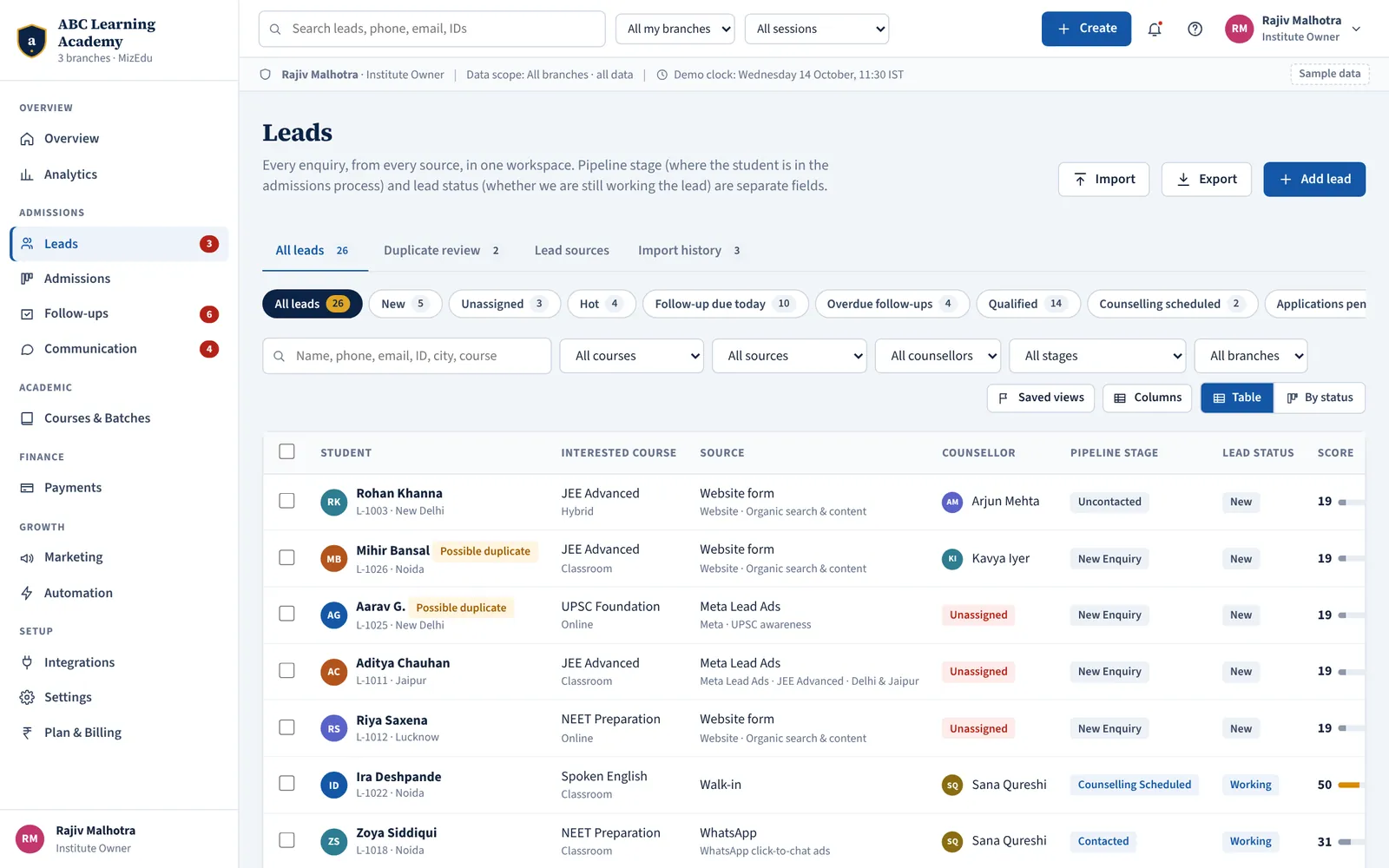
The right counsellor, instantly — and fairly
Speed to first contact decides most admissions. Ordered, switchable rules pick the eligible pool; round robin shares leads evenly inside it. Every assignment is written to the timeline with the rule that made it.
- Walk-ins and phone enquiries stay with the person who took them
- Branch match, course specialisation and language preference
- Working hours and per-counsellor capacity respected
- Round robin that stays fair even when two leads arrive in the same second
- Backup queue and Admissions Manager escalation when nobody is available
- Manual reassignment always asks for a reason
Fourteen stages, one definition of progress
Pipeline stage and lead status are kept separate, so “where is this student in admissions?” and “are we still working this lead?” each have a clear answer. Entry rules stop leads skipping steps; outcomes close a lead without losing its last stage.
- Kanban board and table views with filters by course, counsellor and branch
- Backward moves need a reason; Enrolled is set only by a verified payment
- Ten closed outcomes, from “Budget mismatch” to “Future intake”
- Stalled leads — no contact for N days — highlighted automatically
- Rename and reorder stages, set mandatory fields per stage
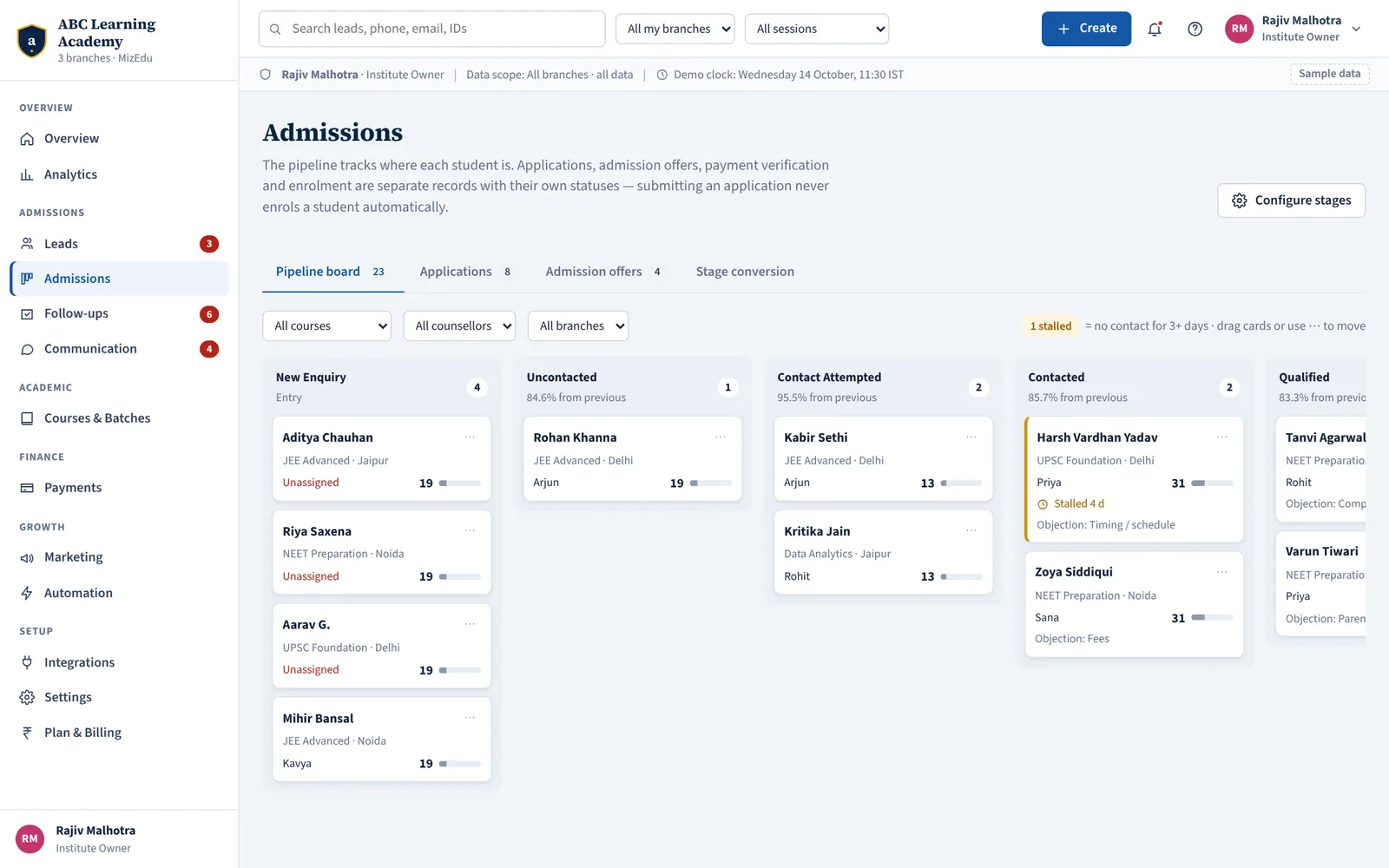
From first enquiry to enrolled student
Every stage has an entry rule. Closed outcomes: Not Interested, Not Reachable, Invalid Contact, Not Eligible, Budget Mismatch, Competitor Chosen, Course Unavailable, Future Intake, Duplicate, Do Not Contact.
- New Enquiry
- Uncontacted
- Contact Attempted
- Contacted
- Qualified
- Counselling Scheduled
- Counselling Completed
- Course / Fee Discussion
- Demo / Trial Class
- Application Started
- Application Submitted
- Admission Offered
- Payment Pending
- Enrolled
Know whom to call first — and why
A counsellor with forty open leads needs to know which five are close to deciding. Scores are built only from behaviour and course fit, and every score shows the signals behind it.
- Positive signals: relevant course, decision within 30 days, counselling done, demo attended, application details requested, two-way conversation
- Negative signals: no response after attempts, explicit decline
- High / medium / low labels with thresholds you control
- Sensitive characteristics — religion, caste, gender, health, income — can never be used as signals
- A prioritisation aid, never an admission decision
Where admission decisions are actually made
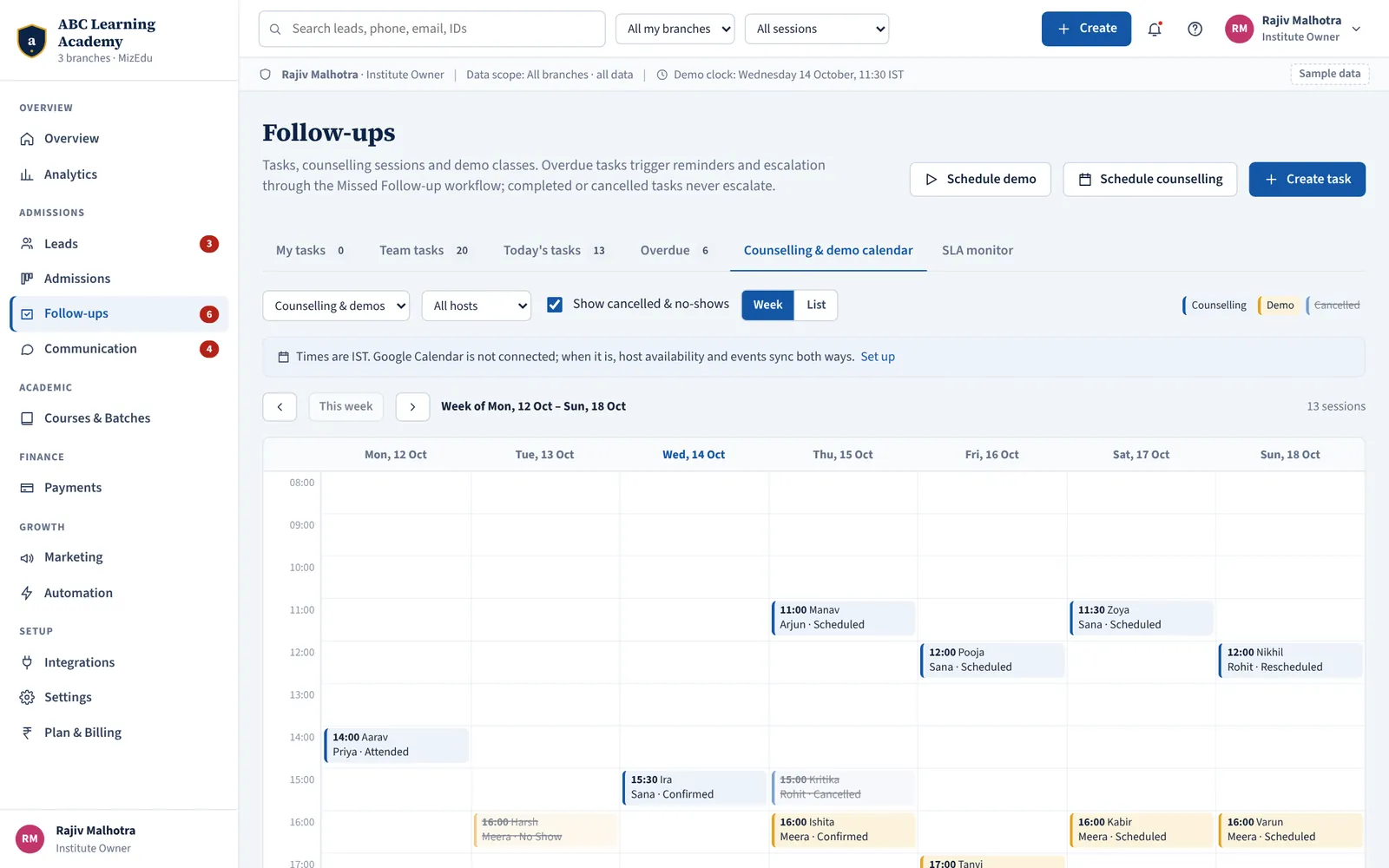
Book counselling sessions and demo classes on a shared calendar that refuses double-bookings of a counsellor or a room. Reminders go out on their own; attendance and outcome feed the lead’s score and next task.
- Week calendar per branch, counsellor and faculty member
- Booking counselling moves the lead to “Counselling Scheduled”
- Mark attended or no-show; no-shows get a reschedule offer
- Rescheduling cancels old reminders and starts new ones
- Faculty see only their own demo sessions and record feedback
- Google Calendar sync and meeting links when connected
No follow-up depends on anyone’s memory
Every lead always has a next action with a due time. Log a call outcome and schedule the next step in one move. Overdue tasks remind the counsellor and then escalate to the manager.
- Eleven task types — first call, fee discussion, parent discussion, payment follow-up and more
- Call outcomes like “Connected — fees concern” or “No answer” drive the next step
- Default SLA: first contact within 5 working minutes; reminder at 3, manager escalation at 15
- Out-of-hours enquiries start the clock when the branch opens
- My tasks, team tasks, today and overdue views
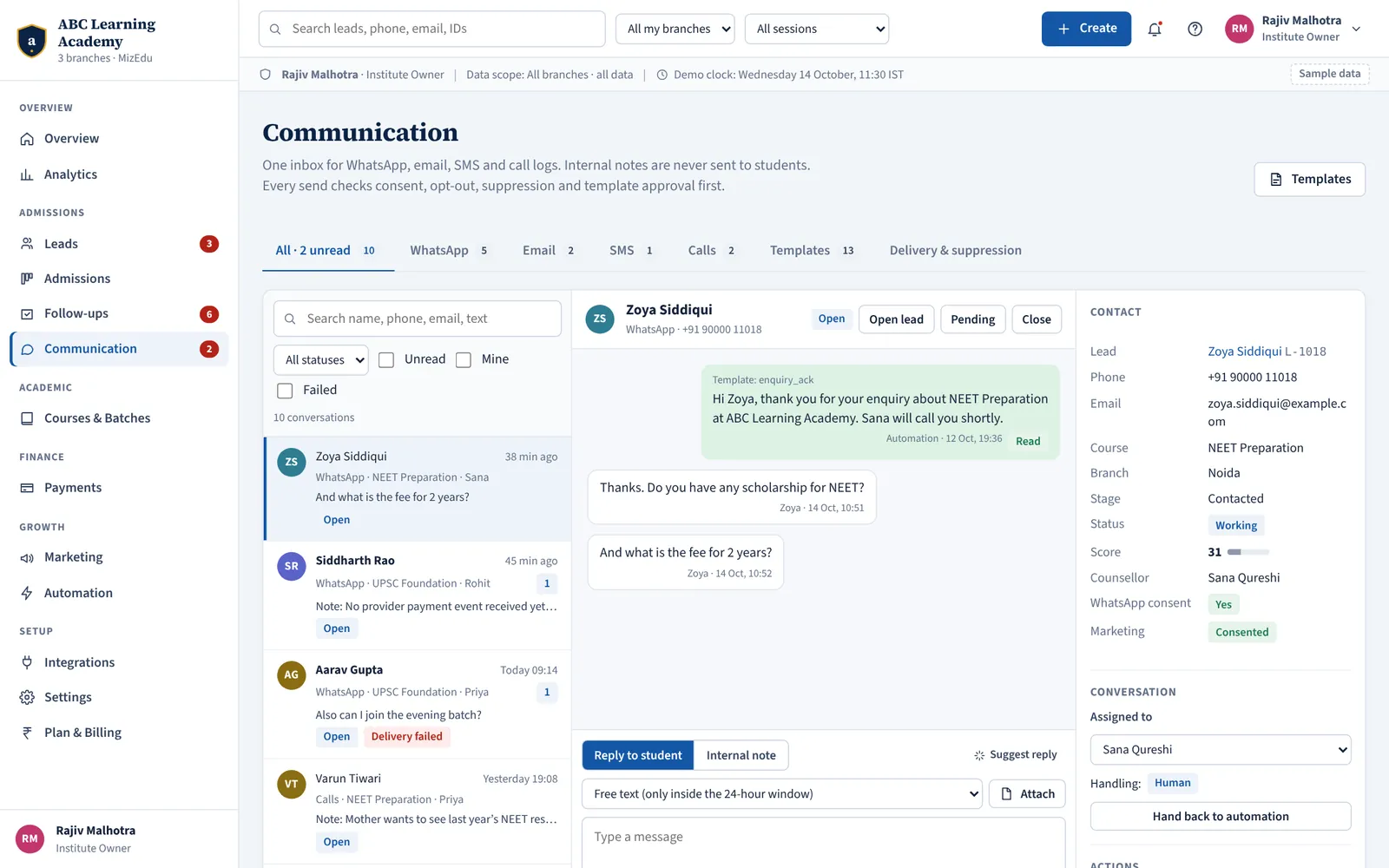
WhatsApp, email, SMS and calls — one conversation history
Students reply on WhatsApp, parents on email, some only pick up calls. Counsellors see the whole history next to the lead, reply from templates and hand conversations over without losing a word.
- Inbox tabs for All, WhatsApp, Email, SMS and Calls
- Approved WhatsApp templates; free text only inside the 24-hour window
- Every send checks consent, opt-out, quiet hours and template approval first
- Opt-out keywords such as STOP and UNSUBSCRIBE suppress the contact instantly
- Delivery status from the provider: sent, delivered, read or failed with reason
- SMS templates with DLT IDs, so carriers don’t block them
- Internal notes that can never be sent
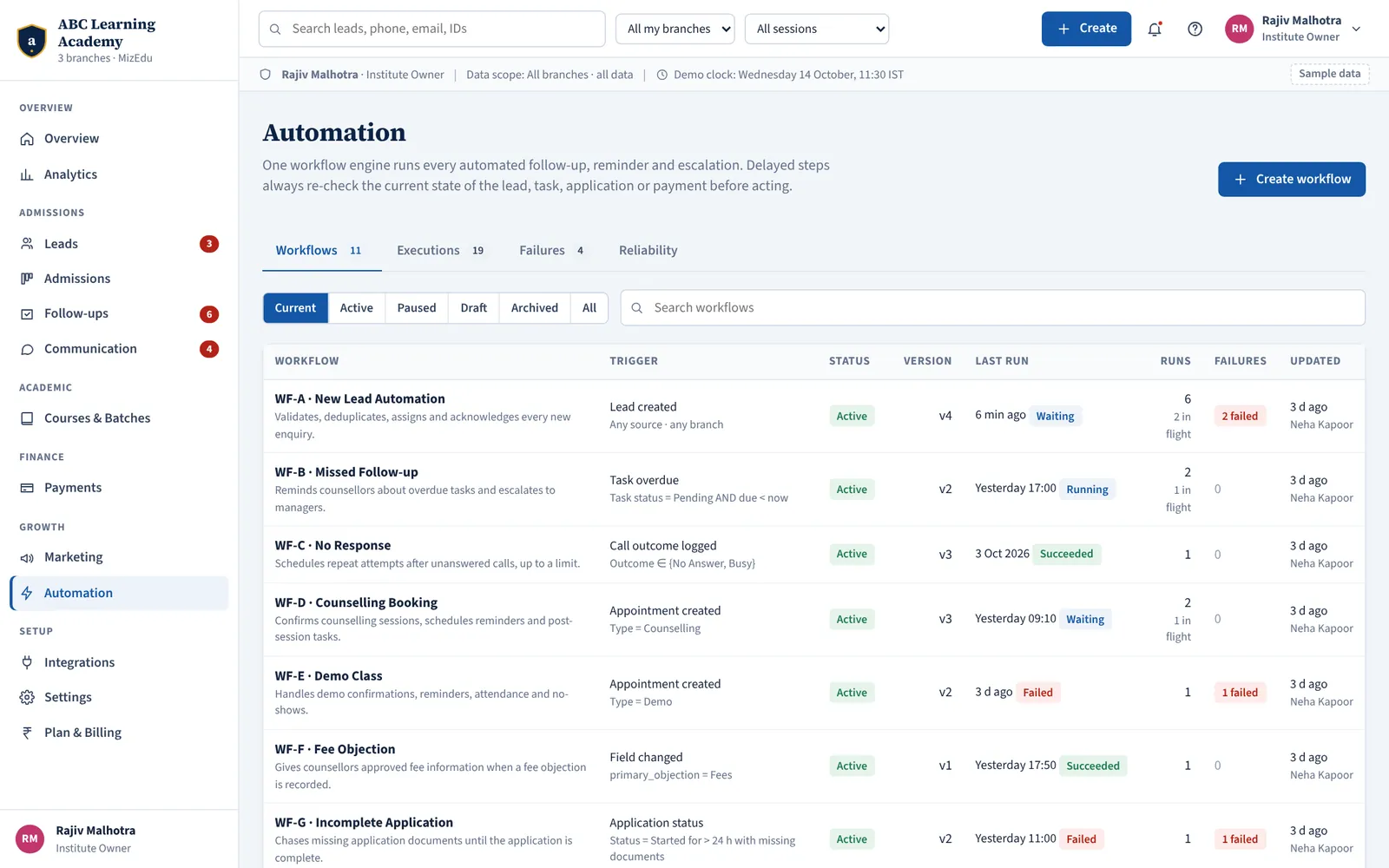
Eleven workflows, ready on day one
Every workflow runs on one engine with versioning, dry-run testing, retries and a full execution log. After any wait, it re-checks the situation before acting — so a reminder never goes to a student who has already paid.
New Lead Automation
Validates, de-duplicates, assigns and acknowledges every new enquiry the moment it arrives.
Missed Follow-up
Reminds counsellors about overdue tasks and escalates to their manager if nothing happens.
No Response
Schedules repeat call attempts after “No answer” or “Busy”, up to the limit you set.
Counselling Booking
Confirms counselling sessions, sends reminders and creates the post-session follow-up.
Demo Class
Handles demo confirmations, reminders, attendance and a reschedule offer for no-shows.
Fee Objection
Puts the approved fee plan and instalment options in front of the counsellor when “Fees” is the objection.
Incomplete Application
Chases missing documents until the application is complete — and stops the moment it is.
Payment Pending
Sends payment reminders and reacts only to payments verified by the gateway.
Future Admission Cycle
Keeps “next intake” leads warm with permitted reminders before admissions reopen.
Counsellor SLA
Detects first-response SLA breaches during working hours and alerts managers.
Brochure on Request
Emails the course brochure when a counsellor tags a lead “brochure requested”.
Automation workflows are part of MizEdu Pro. Edit any workflow as a draft, test it, then publish a new version — runs already in progress finish on the version they started.
Your catalogue, the way you actually sell it
Courses by branch and mode, batches with capacity and timing, academic sessions, and approved fee plans with instalments, discounts and scholarships. Counsellors quote from approved plans — not from memory.
- Classroom, online and hybrid modes per course and branch
- Batch capacity and timing; full batches are visible while counselling
- Fee plans with instalment schedules and approval
- Required documents and eligibility per course
- Deactivate a course without losing its history
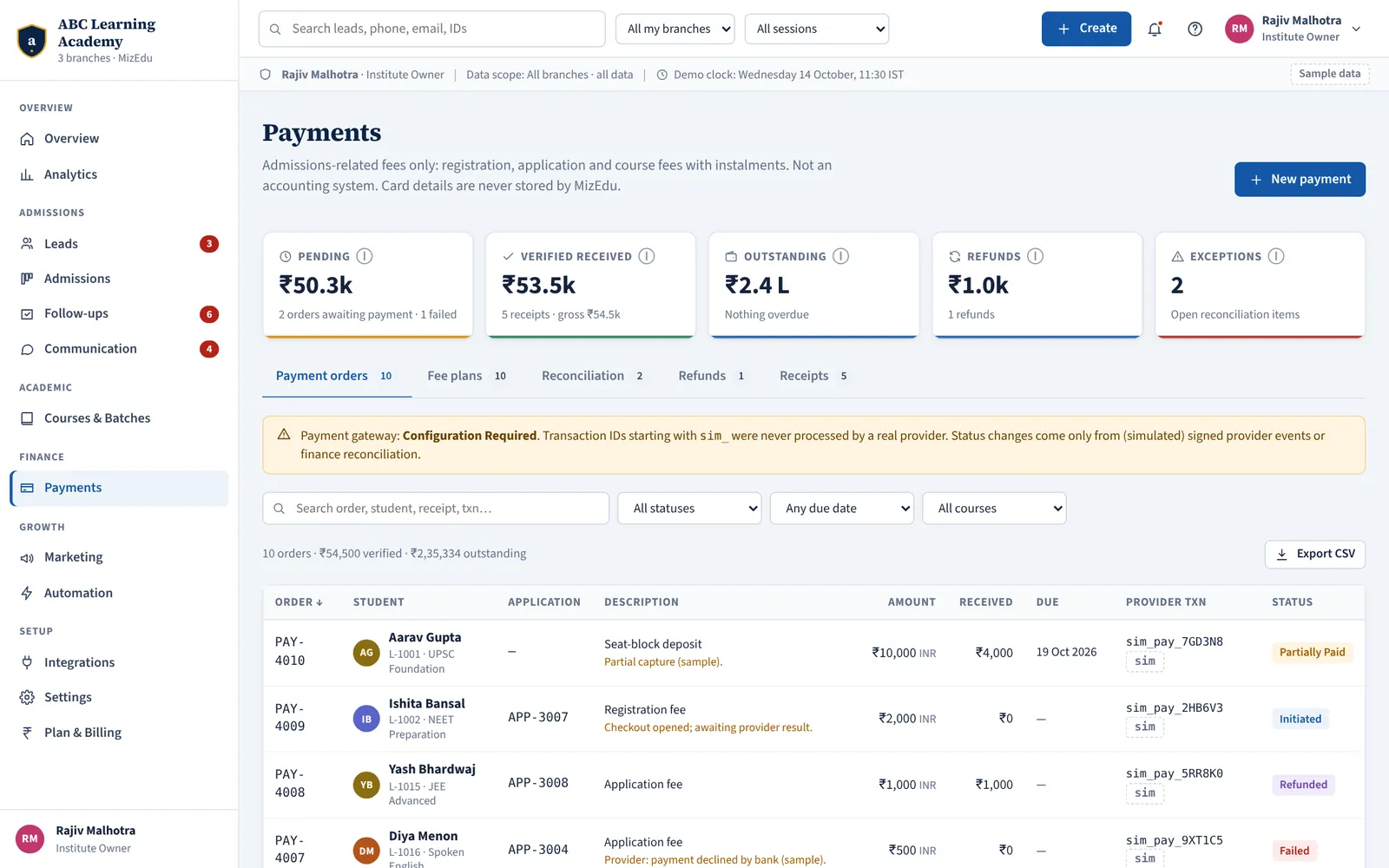
From “interested” to “admitted”, properly
Applications collect documents, go through review and end in an admission offer. Submitting never enrols; approving needs every document verified; enrolment needs an accepted offer and a verified payment.
- Document checklist per course: missing, received, verified or rejected
- Guardian consent document required for applicants under 18
- Review statuses including “Additional information required”
- Admission offers, acceptance and enrolment in one drawer
- Missing documents chased automatically until complete
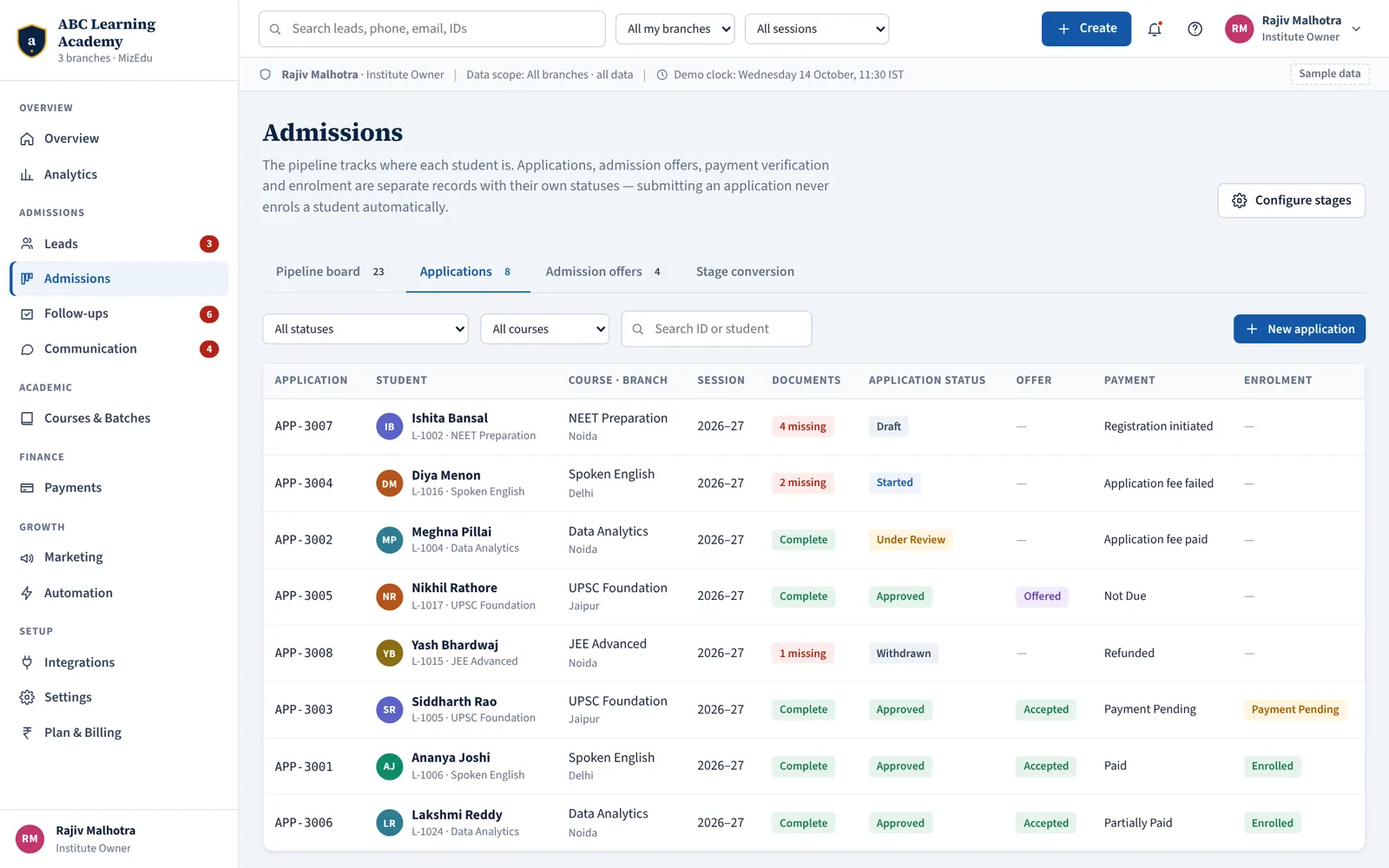
Know exactly who has paid what
Payment links are created from approved fee plans and paid through Razorpay. A fee changes status only on a signature-verified gateway event — a student’s screenshot raises a reconciliation item instead.
- Payment links for full fees or instalments by UPI, card, net banking or wallet
- Receipts sent automatically on verified payment
- Offline payments recorded by finance with a reference
- Reconciliation queue for mismatches and unverified claims
- Refunds and partial refunds tracked against the transaction
- Money stored in paise; card data never touches MizEdu
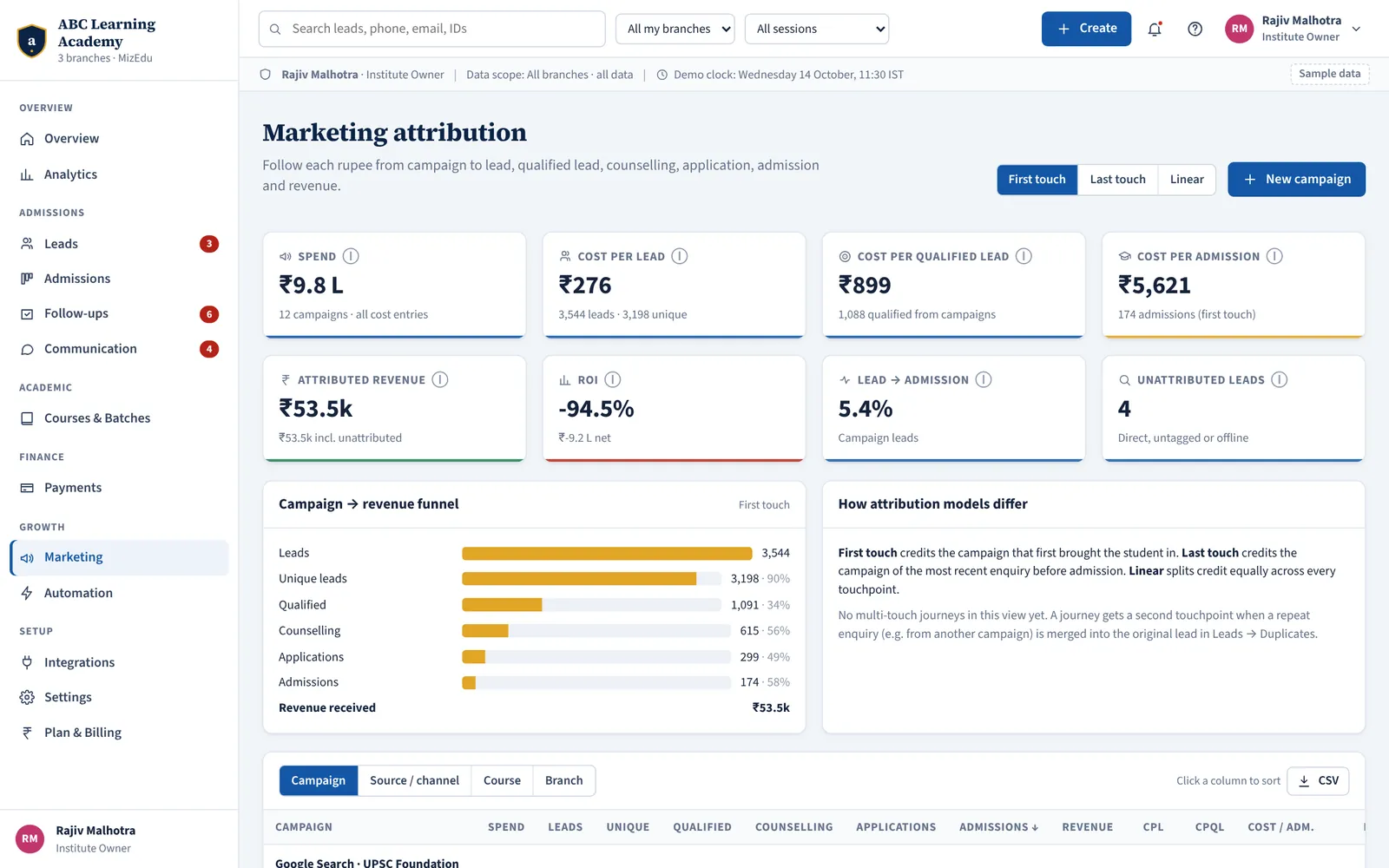
Spend follows admissions, not lead counts
Connect campaign costs and see the full journey — campaign, lead, qualified, counselling, application, admission, revenue — by campaign, channel, course and branch. Leads without tracking data show as “Unattributed”; nothing is guessed.
- First-touch, last-touch and multi-touch models
- Cost per lead, per qualified lead and per admission
- Revenue from verified payments only, net of refunds
- Send qualified-lead and admission events back to Meta and Google
- Shows “No cost data” instead of a misleading ₹0
Numbers that mean the same thing to everyone
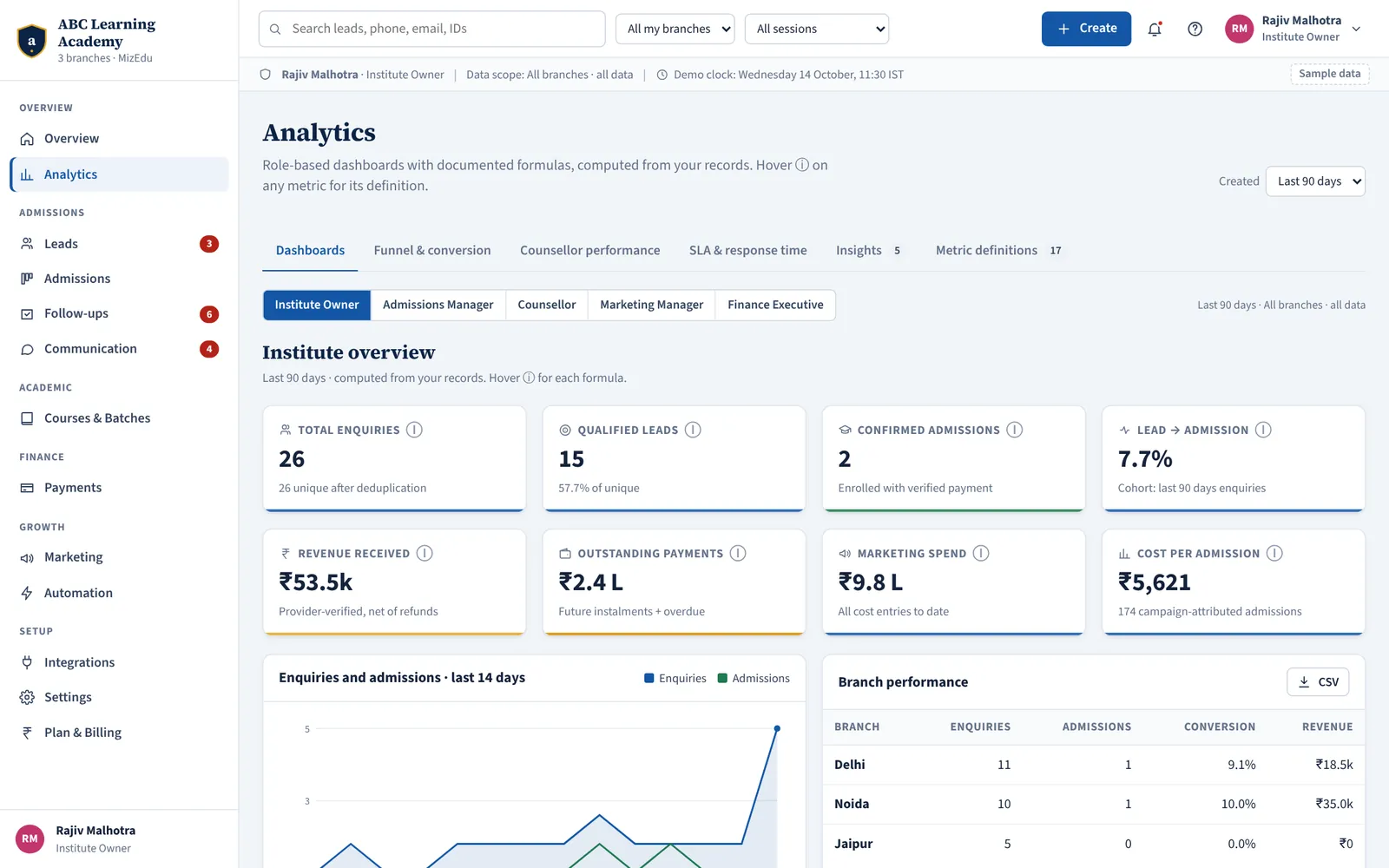
Owner, admissions, counsellor, marketing and finance dashboards — each with documented formulas, so “conversion” means one thing in every meeting. Hover any metric to see how it is calculated.
- Lead-to-admission conversion by cohort with a defined window
- First-response time, follow-up compliance and outcomes by counsellor
- Branch and course comparisons
- Dashboards respect scope — a counsellor sees their own numbers
Connect the tools you already use
Each connection shows its real status, last sync and errors. Secrets are stored encrypted on the server and never sent back to the browser.
Lead capture
- Website forms
- Google Ads lead forms
- Meta Lead Ads (Facebook & Instagram)
- CSV import
- Inbound webhooks (HMAC-signed)
- REST API with scoped keys
Communication
- WhatsApp Business Platform
- Email provider (SPF, DKIM, DMARC)
- SMS with DLT registration
- Telephony / IVR click-to-call
Calendar & payments
- Google Calendar
- Razorpay — payment links, webhooks, refunds, settlements
Marketing
- Google Analytics conversions
- Meta Conversions API
- Ad-spend import
Automation
- Zapier
- Make
- Outbound signed webhooks
REST API & webhooks
MizEdu Pro includes inbound webhooks with HMAC signatures, website form endpoints and lead-ads connections for your own systems.
Control who sees what, branch by branch
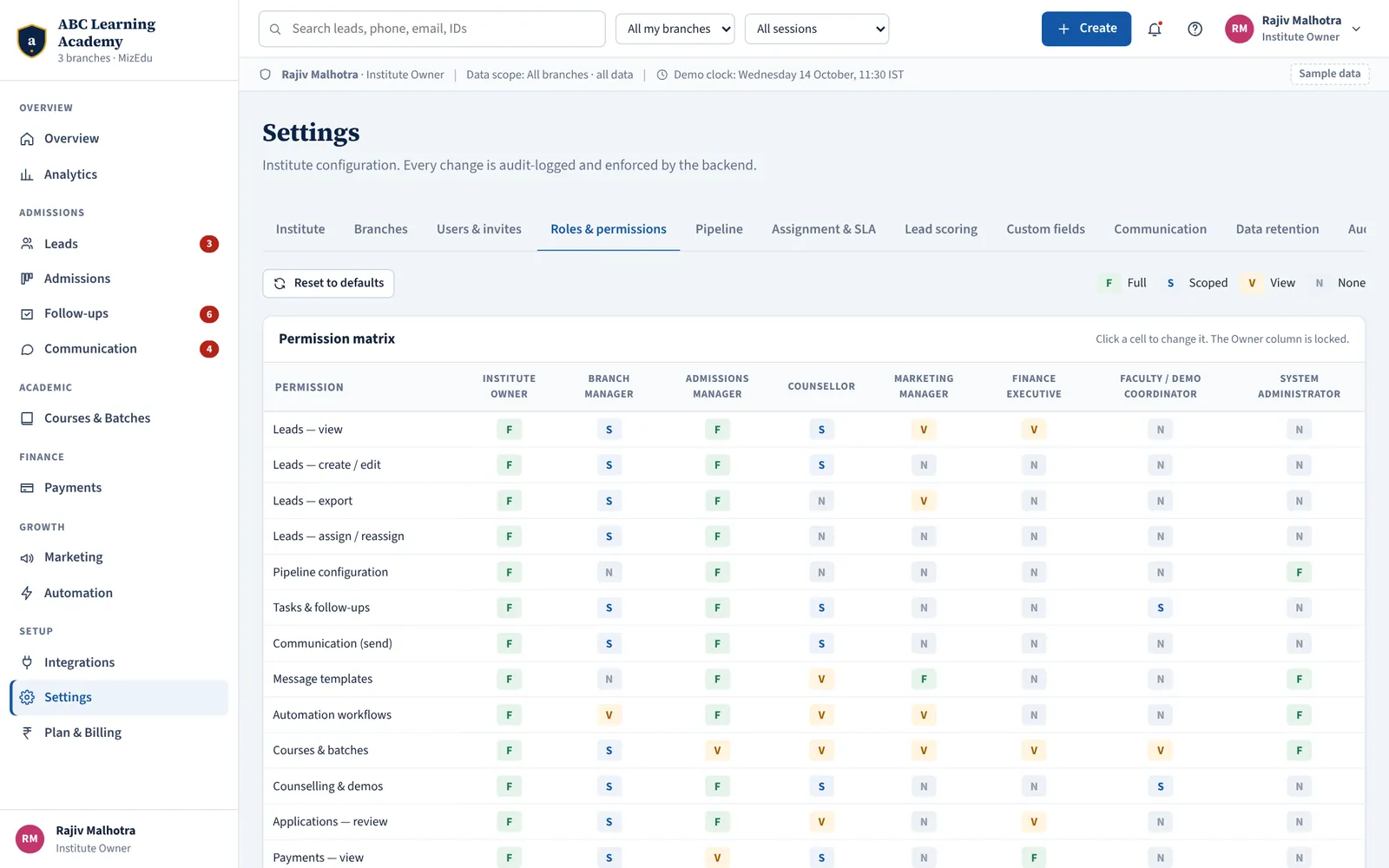
Eight roles out of the box with a permission matrix you can adjust per institute. Users get access to specific branches; counsellors only ever see their own leads — enforced on the server, not just hidden on screen.
- Permission matrix: full, scoped, view-only or no access per action
- Branch-level access for managers and counsellors
- Audit log of assignments, exports, refunds, permission and settings changes
- Data-retention rules per data type, with anonymisation of closed leads
- Audit log export and data-retention controls
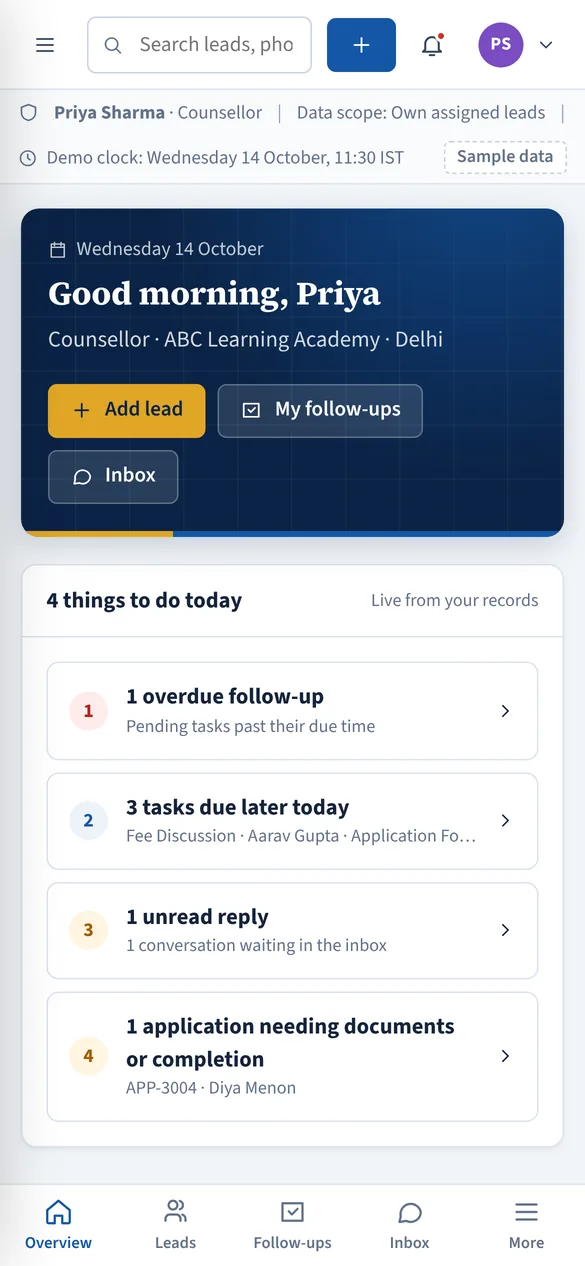
On every phone and desktop — no app store needed
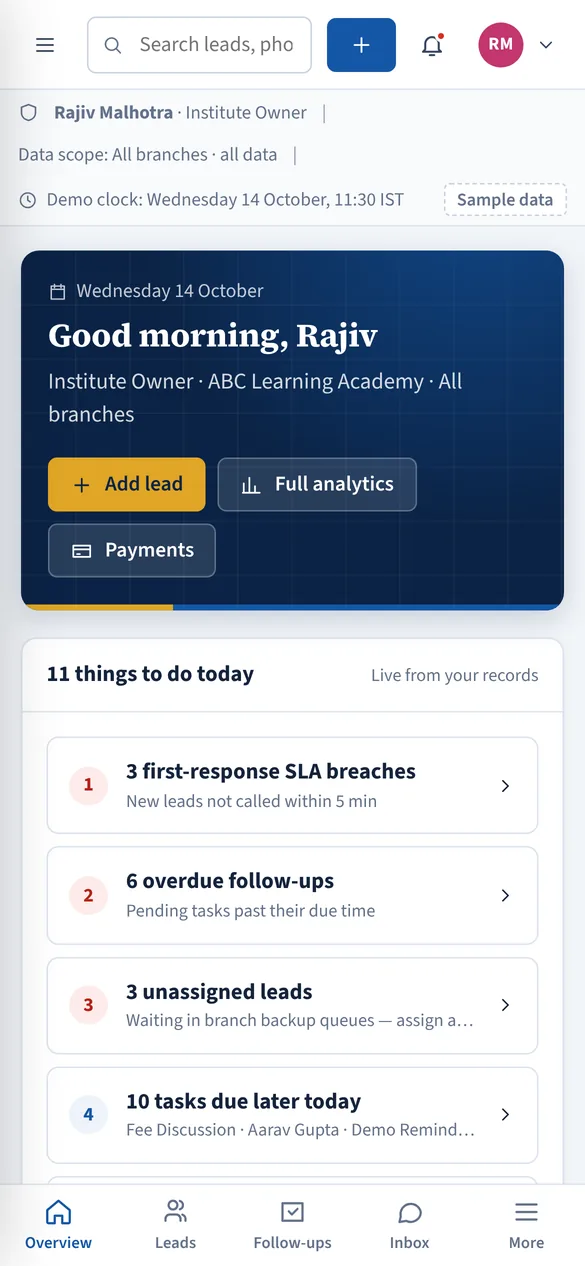
MizEdu is a progressive web app. Open it in Chrome, Edge or Safari and add it to the home screen or desktop; it opens full-screen like a native app and stays up to date by itself.
- Android: Chrome menu → “Install app”
- iPhone and iPad: Safari share button → “Add to Home Screen”
- Windows and macOS: install icon in the address bar
- Designed to work at phone width for counsellors on the move
See your admissions desk on MizEdu
Start free — the Free plan is free forever, no card needed — or open the live demo and click through a fully loaded institute as any role.