Admissions & enquiries
Every enquiry from walk-ins, calls, ads and your online form in one pipeline with counsellors and follow-up dates. Send an offer letter, then admit in one click.
- Online admission form
- Offer letters on WhatsApp
- One-click admit

From the first enquiry to the final report card: admissions, fees with UPI links and instant receipts, attendance, tests and ranks, certificates, ID cards and a parent portal — plus a complete LMS. Pick school, coaching or college and EOS sets itself up to match.
MizUp EOS (MizUp LMS) is a product by BrandMiz Private Limited
Admissions, students, attendance, fees with UPI links and receipts, tests and report cards, certificates, ID cards, a parent portal and a full LMS — configured for how your institute runs.
Every enquiry from walk-ins, calls, ads and your online form in one pipeline with counsellors and follow-up dates. Send an offer letter, then admit in one click.
Profile, parents, attendance, fees, results, certificates, documents and a timeline of every change — in a single record.
Fee plans with instalments, concessions and late fees. Collect cash or UPI with a numbered PDF receipt, or send a Razorpay payment link that records itself when paid.
Mark a class in seconds, build clash-free timetables and post homework parents can see instantly.
Unit tests, term exams and mock tests with marks entry, ranks, percentiles, grades and printable report cards.
Bonafide, character, transfer and completion certificates with serial numbers and QR verification; ID cards on A4; a parent portal to pay fees and see progress.
Walk-in, call, ad or online form — assigned to a counsellor.
Share the offer letter, admit in one click with the fee schedule.
Attendance, timetable, homework and notices from any phone.
UPI links and receipts; defaulters list with WhatsApp reminders.
Tests, ranks, report cards, certificates and ID cards with QR.
Admissions, attendance and fee collection on one dashboard.
Fee plans, receipts, concessions and defaulters without spreadsheets.
Attendance, homework, marks and timetables in a few taps.
A portal to pay fees, download receipts and follow progress.
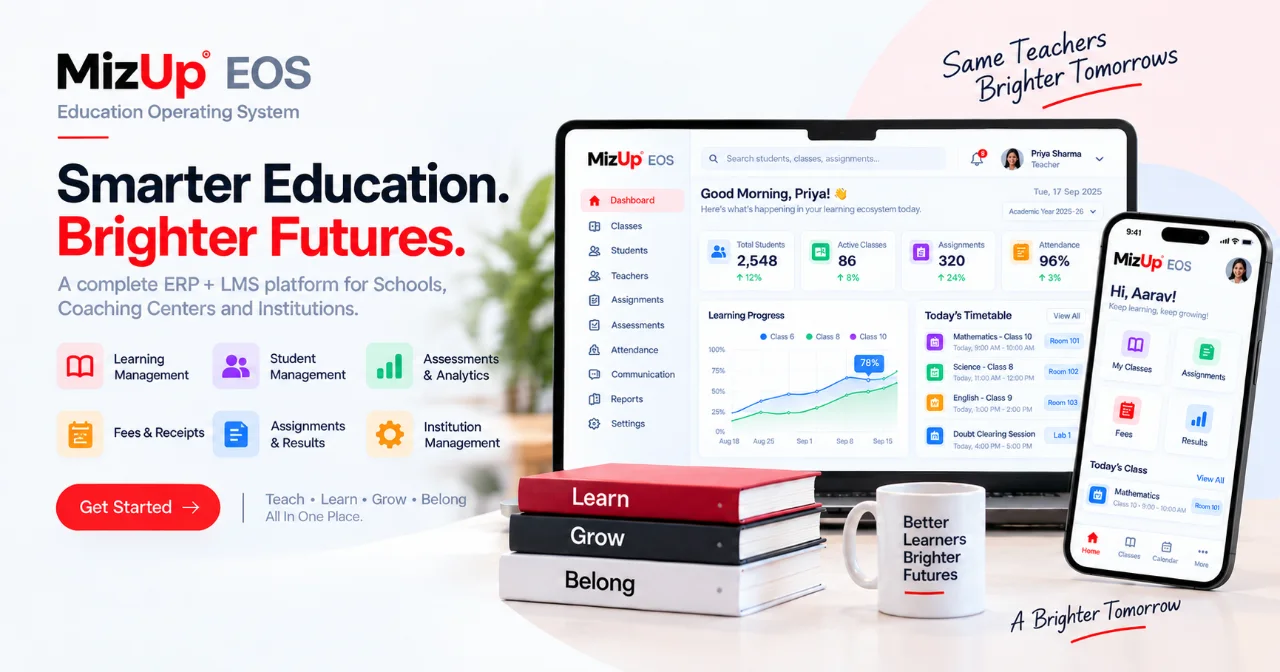
Admins run fees and admissions, teachers take attendance and publish results, and families follow progress from their phone.

Timetable, attendance in one tap, homework, tests with ranks and report cards.

Courses, assignments and results in one place, on any device.
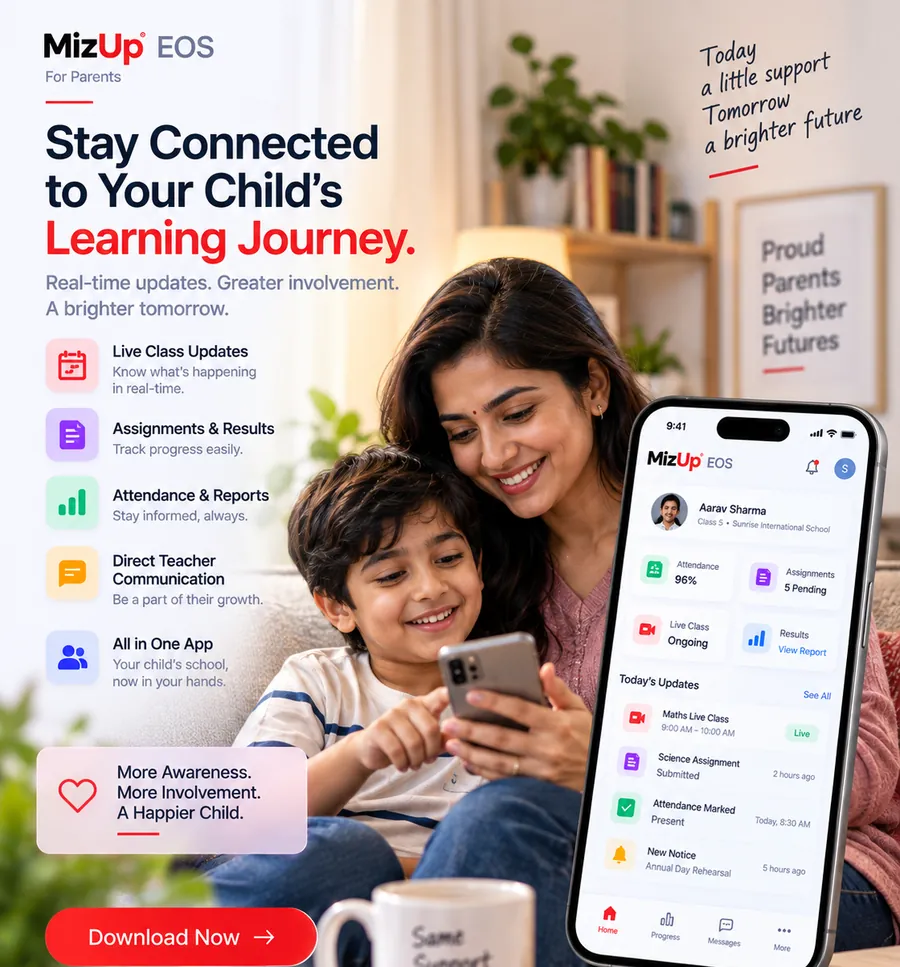
Attendance, results, fee dues, receipts and payment links in the parent portal.
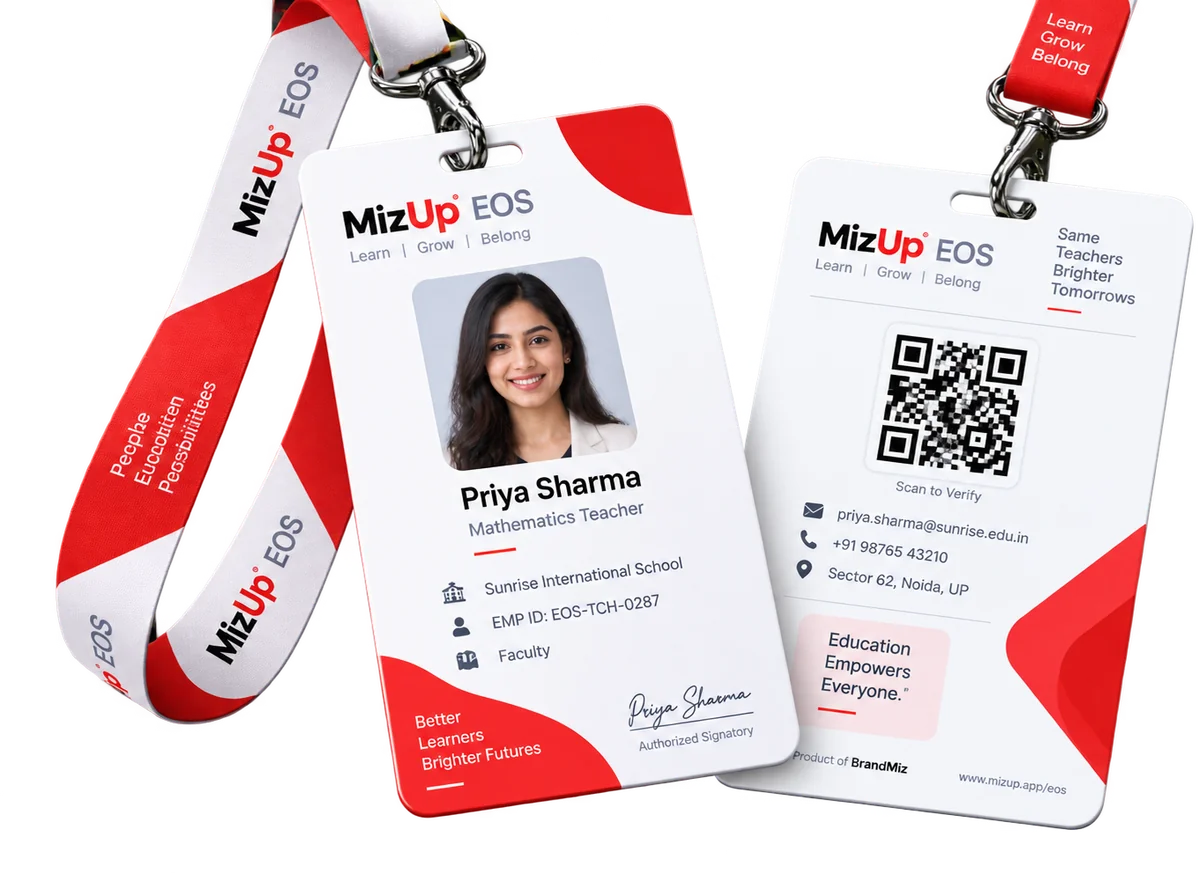
Print student and staff ID cards in bulk. Every card, certificate and fee receipt carries a QR code that anyone can scan to confirm it is genuine.
Yearly prices shown, per month. Prices exclude GST.
For small institutes getting started.
Run a school or coaching institute end to end.
EOS plus a complete LMS and deeper reporting.
For large institutes and education groups.
Configurable fields, statuses and workflows let MizUp EOS fit the way your business already works. Open the guide for yours.
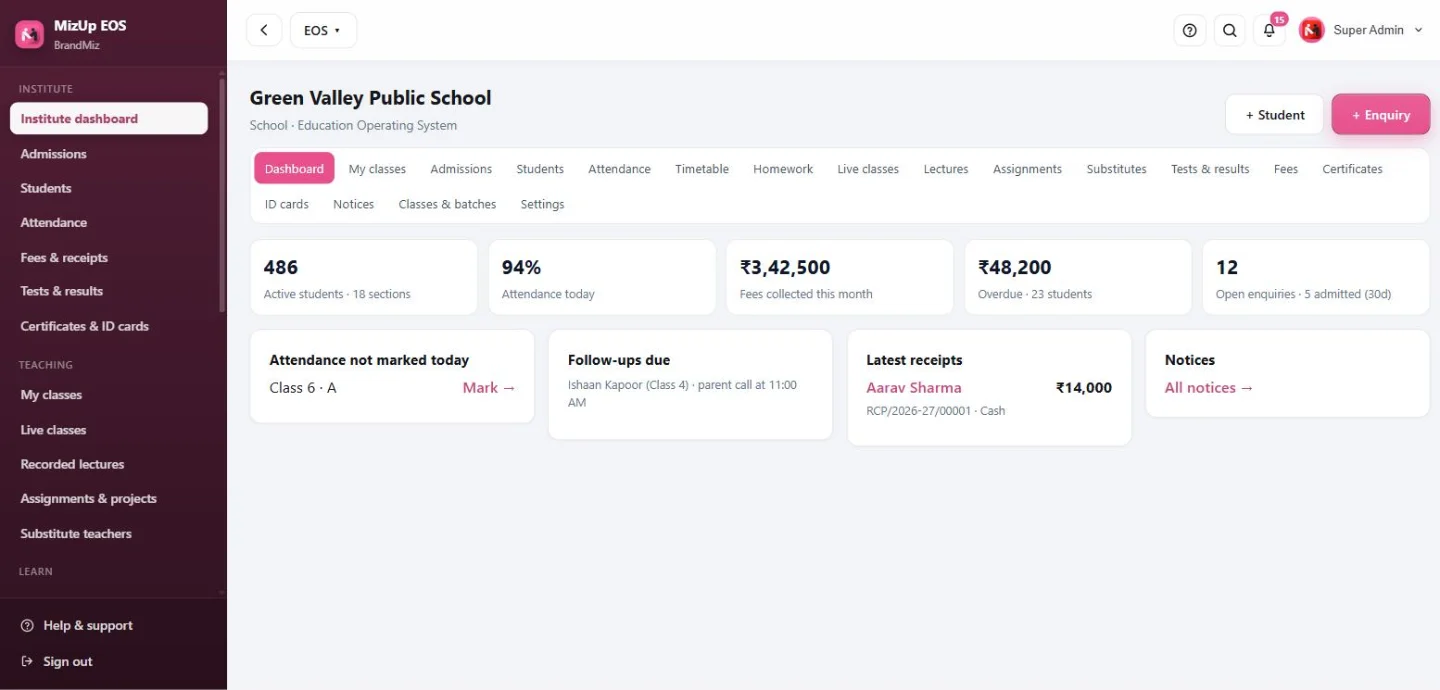
Institute dashboard: students, attendance, fees and enquiries
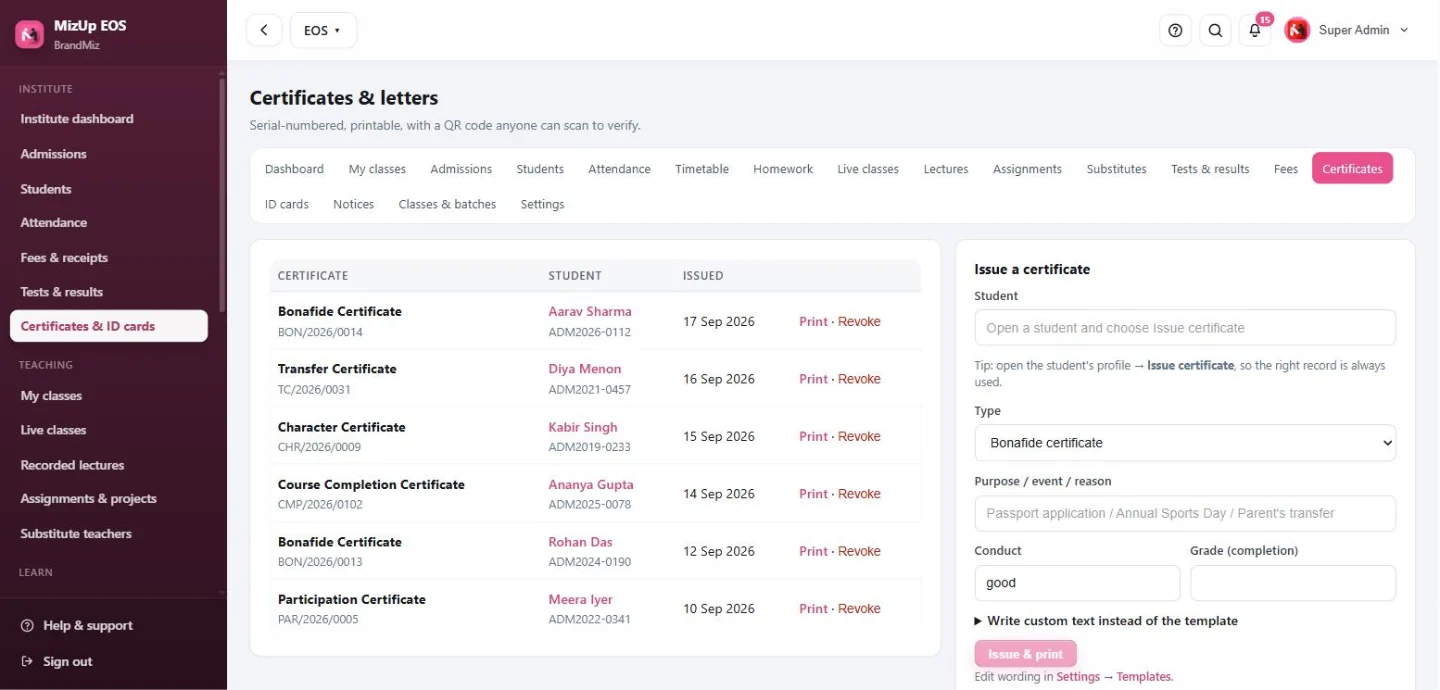
Serial-numbered certificates with QR verification
Real MizUp EOS screens, shown with sample data.
Yes. Choose school, coaching, college or training academy during setup. The words (Class/Section or Course/Batch), modules and screens change to match; the data stays in one system.
Connect your own Razorpay account. Send a payment link from any fee, or parents tap Pay now in the portal. When the payment succeeds, EOS records it and creates the receipt automatically.
Yes. Receipts, offer letters, certificates, report cards and ID cards open as print-ready pages you can save as PDF. Certificates and ID cards carry a QR code that opens a verification page.
Yes. Upload a CSV with names, admission numbers and parent details into any class or batch. Admission numbers are generated if you do not have them.
Yes. Institutes with up to 50 students can use students, attendance, fees with receipts and payment links, notices and the parent portal free.
Yes. Courses with video, quizzes, assignments and certificates are part of MizUp EOS, so learning and administration share the same student data.
Start in minutes, or let our team walk you through it on a live demo.
Our team will reach out within one business day. For anything urgent, write to support@mizup.app.
Free with your plan. Opens in its own window, gets a home-screen icon and stays signed in. No app store needed.
Installed. Open MizUp EOS from your home screen, dock or Start menu.
After installing, sign in once with your MizUp account. Every MizUp product can be installed as its own app.
MizUp · by BrandMiz
Book a free walkthrough. We set it up on your numbers and show you exactly what it costs for your team size.
No card needed. We reply within one business day.
Our team will reach out within one business day. For anything urgent, write to support@mizup.app.