Official WhatsApp Business API
Onboard your number in minutes, connect more than one number per company and see quality rating and messaging limits live.
- Guided number onboarding
- Multiple numbers per workspace
- Green-tick eligible

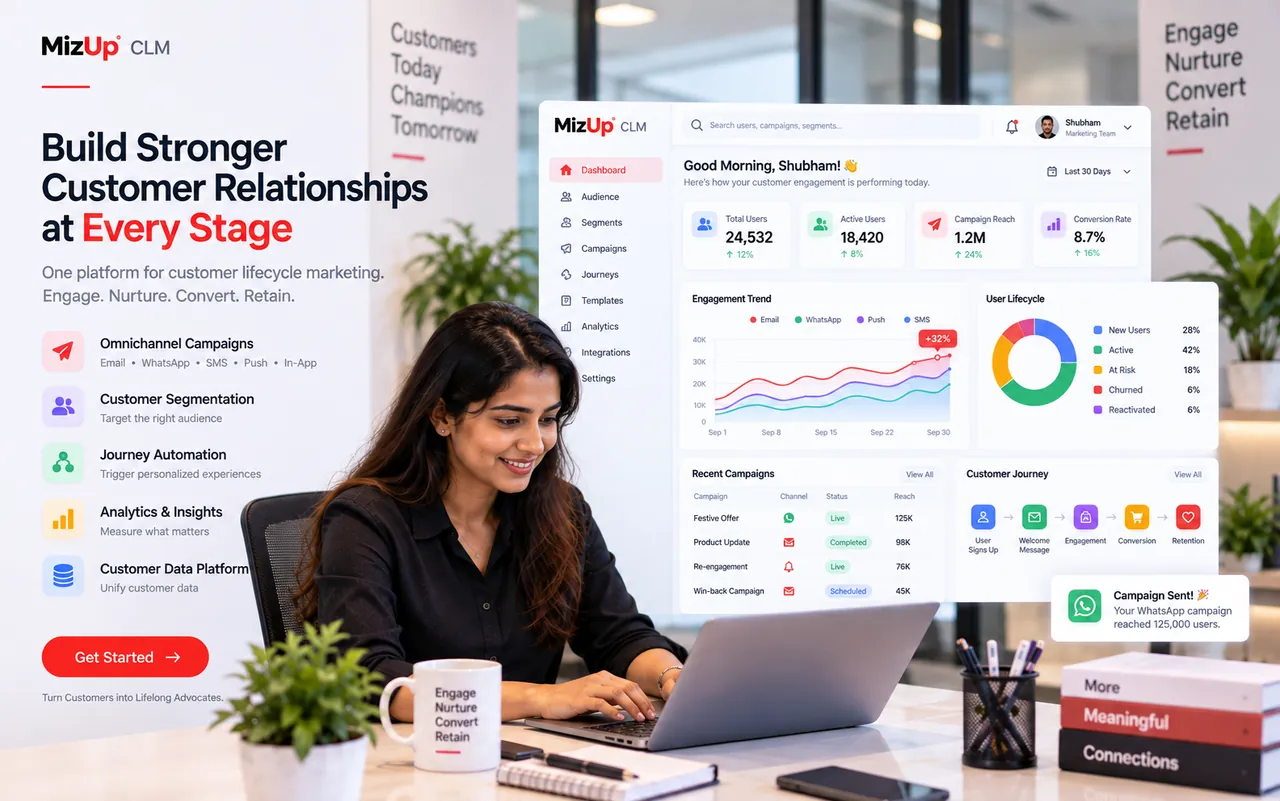
Official WhatsApp Business API, a shared team inbox, campaigns and event-triggered journeys — with the analytics to see exactly what brings customers back.
MizUp CLM (customer lifecycle management) is a product by BrandMiz Private Limited
WhatsApp inbox, campaigns, journeys and deep analytics that turn one-time buyers into loyal customers.
Onboard your number in minutes, connect more than one number per company and see quality rating and messaging limits live.
Every WhatsApp conversation in one inbox with assignment, notes, tags, quick replies and a visible 24-hour service window.
Build text, media and button templates with a live phone preview and Meta’s rules checked before you submit — approval status updates automatically.
Pick an audience by segment, tag, status or lifecycle stage, see consent before you send, schedule and track replies.
Event-triggered journeys with waits, conditions, A/B splits and goals, plus auto-replies, welcome and out-of-office messages.
Segment by behaviour and business data — invoices, deals and leads — and move customers through lifecycle stages automatically.
Engagement funnel, weekly cohorts, RFM segments, best time to engage, attribution by source and campaign scorecards.
Email templates and sequences alongside WhatsApp, with SMS and RCS on the way — one customer record for every channel.
Trigger on an unpaid invoice, a won deal or a status change — because CLM, CRM and Finance share one database.
A purchase, form fill, status change or reply is recorded as an event.
RFM and lifecycle stage are recalculated from real activity.
Conditions, waits and quiet hours pick the right message and moment.
WhatsApp or email goes out — delivery, read and reply tracked.
Funnels, cohorts and attribution show what actually drove revenue.
Launch campaigns and journeys without developers — and see revenue impact, not vanity metrics.
Answer every WhatsApp chat from one inbox, with context from CRM and billing.
Know which customers are at risk and which campaigns bring them back.
Run experiments, compare variants and double down on what converts.
Yearly prices shown, per month. Prices exclude GST.
Launch WhatsApp campaigns and a shared inbox.
Automate journeys and understand every customer.
Everything in Starter, plus
For high-volume brands running lifecycle marketing.
Everything in Growth, plus
For multi-brand teams and very large audiences.
Everything in Scale, plus
Inbox, campaigns, journeys and customer analytics on the official WhatsApp Business API, connected to your CRM and billing.
Your own verified number, set up in minutes
Every chat answered, nothing missed
Broadcasts that get approved and get replies
The right message at the right moment
Know every customer, not just their number
See what actually brings customers back
One customer record for every channel
Built on the same data as your CRM and billing
Configurable fields, statuses and workflows let MizUp CLM fit the way your business already works. Open the guide for yours.
 WhatsApp marketing for D2CD2C & e-commerce
 WhatsApp API for educationEducation
 WhatsApp for clinicsClinics & healthcare
 WhatsApp API for real estateReal estate
 WhatsApp for travelTravel & hospitality
 WhatsApp for financial servicesFinancial services
 WhatsApp for retail chainsRetail chains
 WhatsApp for subscriptionsSubscriptions
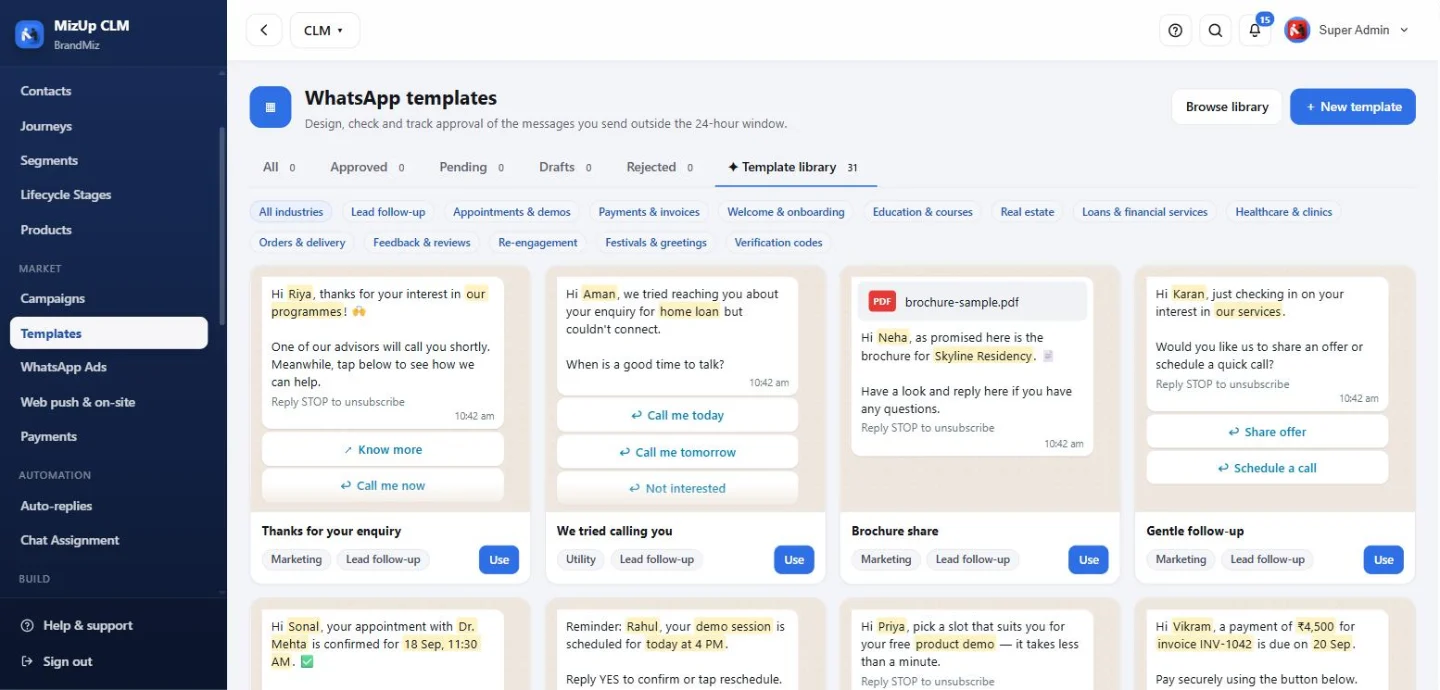
31 ready WhatsApp templates, grouped by industry
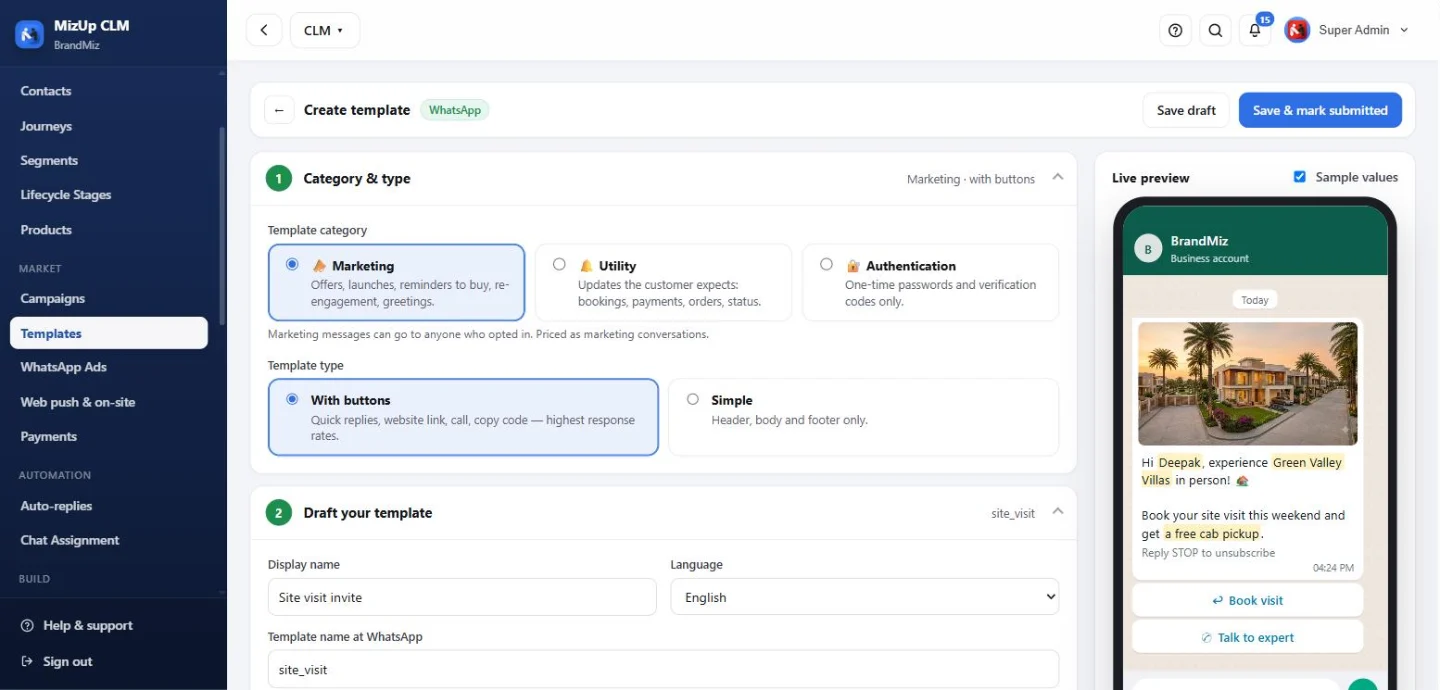
Template studio with a live WhatsApp preview
Real MizUp CLM screens, shown with sample data.
No. You can onboard your business number directly inside MizUp in a few minutes, or connect a provider you already use.
Meta charges per conversation. These are billed at actuals and shown clearly; the plan price covers the MizUp platform.
Templates you create are submitted to Meta from MizUp. Approval or rejection — with the reason — appears on the template automatically.
No. Quiet hours and frequency caps are enforced at the queue for every campaign and journey, and replies stop automation instantly.
Yes. CLM keeps its own contacts. If you also use CRM, contacts and events are shared automatically.
Yes. Add multiple numbers to one workspace and choose which number each campaign sends from.
Start in minutes, or let our team walk you through it on a live demo.
Our team will reach out within one business day. For anything urgent, write to support@mizup.app.

Free with your plan. Opens in its own window, gets a home-screen icon and stays signed in. No app store needed.
Installed. Open MizUp CLM from your home screen, dock or Start menu.
After installing, sign in once with your MizUp account. Every MizUp product can be installed as its own app.
MizUp · by BrandMiz
Book a free walkthrough. We set it up on your numbers and show you exactly what it costs for your team size.
No card needed. We reply within one business day.
Our team will reach out within one business day. For anything urgent, write to support@mizup.app.